
Quick summary
This guide covers the four main Shopify bundle strategies — fixed bundles, mix-and-match, gift-with-purchase, and BOGO — with specific app recommendations, pricing context, and AOV data. It's written for UK Shopify merchants who want to grow basket value without relying on blanket discounts.
Most Shopify merchants sell products individually and wonder why average order value stays flat. The customer arrives, buys the one thing they came for, and leaves. No upsell, no complementary product, no reason to add anything else to their basket. That costs you — not just in lost revenue per transaction, but in customer acquisition costs that never get offset by higher spend.
Bundling fixes this. Done right, it increases AOV, improves inventory movement, and gives customers a reason to spend more without feeling pressured. Shopify merchants using structured bundle strategies see average order values between 15% and 30% higher than those without — and the setup time is days, not months.
Here's what works, which tools to use, and how to implement each approach.
What Types of Shopify Bundle Actually Work?
There are four bundle models that consistently deliver results. Each suits different product types and customer behaviour patterns.
1. Fixed Bundles
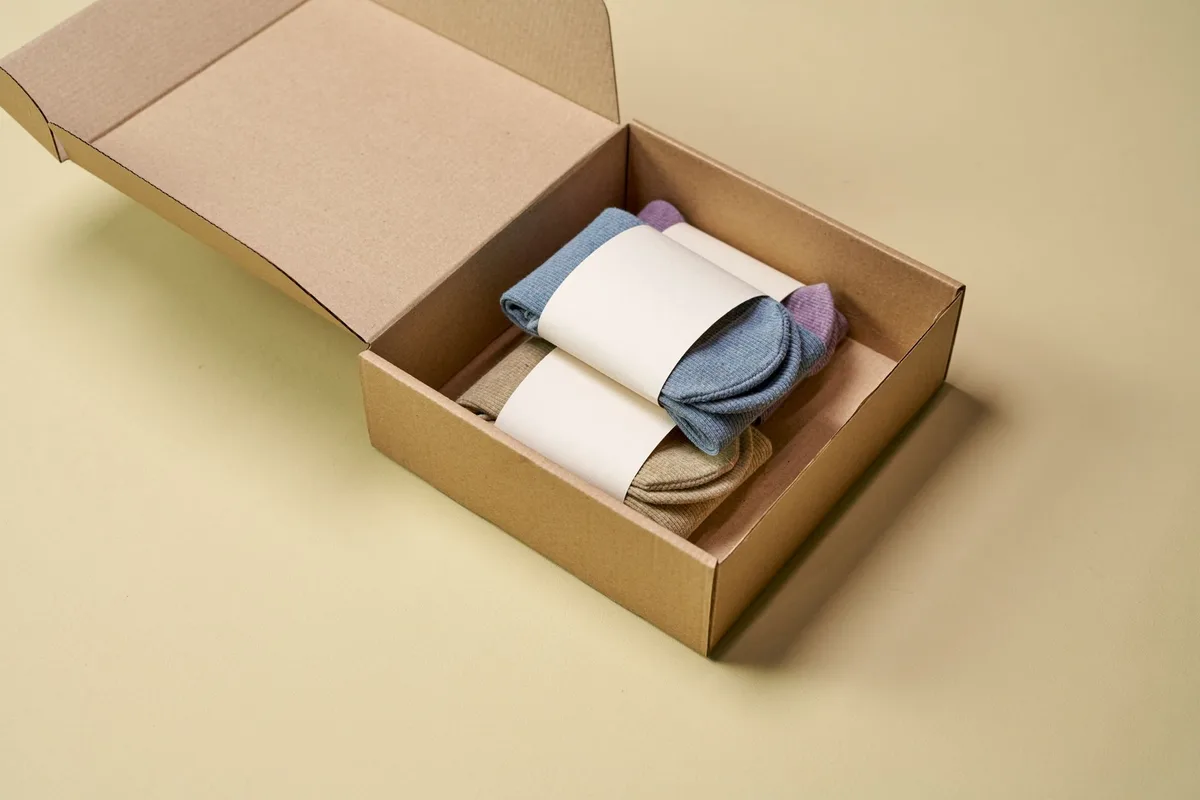
A fixed bundle is a pre-set group of products sold together as a single SKU at a combined price — usually with a small discount built in. Think: a skincare starter set, a coffee kit with grinder and beans, or a supplement stack.
Best for: Products where a natural "starter pack" or routine exists. Works well for health, beauty, food and drink, and fitness.
AOV impact: Fixed bundles typically increase per-transaction revenue by 10–20% when priced with a 10–15% saving over buying items separately. The perceived value does the work — customers feel they're getting a deal even when their spend is higher.
Implementation steps:
- Identify your top three to five best-selling products and find logical pairings or groupings
- Decide whether to create bundles as a variant of an existing product or as a dedicated new product listing
- Set the bundle price at 10–15% below the combined individual prices
- Write the bundle page copy to emphasise the saving and the use case ("everything you need to get started with X")
- Use bundle-specific imagery showing all products together
For fixed bundles on Shopify, you can often handle basic setups without an app by creating a new product with a variant. For more complex inventory tracking and bundle-specific analytics, Bundler (free plan available, paid from £6.99/month) handles this well.
2. Mix-and-Match Bundles
Mix-and-match lets customers build their own bundle from a defined selection. Buy any three from this range, get 15% off. Buy any four, get 20%.
Best for: Merchants with wide product ranges where customers have strong personal preferences — food subscriptions, tea and coffee, candles, skincare, apparel accessories.
AOV impact: Mix-and-match consistently outperforms fixed bundles for product ranges over 20 SKUs, because customers feel in control. They spend more because they chose it. Stores running mix-and-match promotions report AOV lifts of 18–25%.
Implementation steps:
- Define which products are eligible for the bundle — usually a specific collection
- Set your quantity thresholds (e.g. buy 3, buy 6, buy 12)
- Set the discount at each tier — make each tier meaningfully better than the one before
- Ensure your product pages and collection page clearly explain the offer
- Add a bundle landing page if you're promoting via email or ads
Apps to use:
- Bundle Builder by Staytuned — from £19/month. The most flexible mix-and-match builder on Shopify, with full inventory sync and custom bundle page templates. Well-suited to merchants who want bundle pages that look like native storefronts.
- Bundler (free tier) — handles basic mix-and-match with discount rules at no cost, though customisation is limited.
3. Gift With Purchase
Gift-with-purchase (GWP) is not technically a bundle in the traditional sense, but it works on the same psychological mechanism: add value to a transaction rather than discount the transaction itself.
The mechanic is simple: spend over £X and get [product] free. Or, add product A to your basket and get product B at no charge.
Best for: Beauty, skincare, food and drink, lifestyle products. Any category where a sample or complementary item adds genuine value. Works especially well during seasonal promotions.
AOV impact: GWP campaigns reliably lift AOV by 10–15% because they set a spend threshold customers actively try to hit. If your current AOV is £45 and you offer a free gift at £60, a significant proportion of customers who would have spent £48 will add another item to qualify. The GWP item should cost you between 5–10% of the threshold value to keep margins healthy.
Implementation steps:
- Set your spend threshold 20–30% above your current average order value
- Choose a GWP item with high perceived value but low COGS — a sample size, a complementary product, or a branded item
- Display the offer on your cart page and in a sticky bar or banner across the site
- Add progress messaging in the cart: "You're £X away from your free gift"
- Remove the offer clearly at checkout so there's no confusion
Apps to use:
- Gift Box by Digismoothie — from £14.99/month. Clean interface, reliable cart rules, and good progress bar support.
- Rebuy Smart Cart — from £99/month. More expensive, but if you're already using Rebuy for personalisation and recommendations, the GWP rules integrate natively into their cart engine. Worth it at £50k+ monthly revenue.
4. BOGO (Buy One Get One)
BOGO is the bluntest instrument in the bundle toolkit, but it works when applied to the right products. Buy one, get one free. Or buy two, get one at 50% off.
Best for: Products with high margins, products you want to move at volume, or situations where you want to push trial of a new line. Effective in apparel, supplements, and consumables.
AOV impact: BOGO campaigns typically double unit volume rather than increasing spend dramatically — which means margin management is critical. Use BOGO when clearing stock or when customer lifetime value is the main metric (you want them to try more products, not just spend more this session). Standalone BOGO on full-price hero products will hurt your margin fast unless you plan it carefully.
Implementation steps:
- Confirm the margin on the BOGO product supports giving one unit away or at half price
- Decide on same-product BOGO (buy 2 of product A, get 1 free) vs cross-product BOGO (buy A, get B free)
- Set the offer at the variant level so it's trackable in your reports
- Put an end date on it — BOGO with no expiry trains customers to wait
- Measure unit lift vs revenue lift separately — they will diverge
Apps to use:
- BOGO+ by Hextom — free to £9.99/month. Solid for basic BOGO and buy-X-get-Y rules. Handles stacking rules and offer priority settings.
- Frequently Bought Together by Code Black Belt — from £9.99/month. Primarily an upsell tool, but the "bought together" discount mechanic works as a light BOGO variant on product pages. Good if you want bundles at the product level without a dedicated bundle page.
Which App Should You Use?
Here's a direct comparison of the most-used Shopify bundle apps:
| App | Best For | Pricing | Notes |
|---|---|---|---|
| Bundle Builder (Staytuned) | Mix-and-match, custom bundle pages | From £19/month | Most flexible UI; good for complex catalogues |
| Bundler | Fixed + basic mix-and-match | Free – £6.99/month | Good entry point; limited customisation |
| Rebuy | GWP + personalised upsell + cart | From £99/month | Worth it if you need full cart personalisation |
| Gift Box by Digismoothie | Gift-with-purchase | From £14.99/month | Reliable GWP with cart progress bar |
| BOGO+ by Hextom | BOGO and buy-X-get-Y | Free – £9.99/month | Simple, fast to set up |
| Frequently Bought Together | Product-page upsell bundles | From £9.99/month | Strong conversion on PDP; limited page-level control |
If you're starting out and want to test bundling before committing to a paid app, start with Bundler on the free plan for fixed bundles and BOGO+ on the free tier for BOGO rules. Validate the revenue lift first, then invest in more capable tools.
What Gets Merchants the Most AOV Uplift?
The biggest AOV gains come from combining bundle types with the right placement in the purchase journey. Here's what the data shows:
- Cart-level bundles convert better than product-page bundles for new visitors. Customers who have already decided to buy are more receptive to "add this and save" messages.
- Progress bars in the cart ("spend £12 more for free delivery" or "spend £15 more to unlock your free gift") increase AOV by an average of 15% on their own, independent of any bundle offer.
- Tiered mix-and-match outperforms single-threshold offers. If customers can only get a discount at quantity 3, many stop at 3. If quantity 6 gives a meaningfully better deal, around 30% of customers who would have bought 3 buy 6 instead.
- Seasonal fixed bundles during peak periods (Black Friday, Christmas, Valentine's Day, Mother's Day) consistently convert at higher rates than the same bundle outside of a gifting context.
How Do You Set Bundle Pricing Without Killing Margin?
This is where most merchants get it wrong. They set a generous bundle discount, see the AOV lift, and miss the fact that margin dropped by more than revenue grew.
Use this approach:
- Calculate the blended COGS for all products in the bundle
- Set your bundle price so that margin on the bundle is no lower than your store's average margin
- If the bundle discount required to make it attractive would drop you below that margin, swap out one of the bundle components for a higher-margin product
- If you're adding a free item (GWP or BOGO), ensure the free item's COGS is accounted for in the margin calculation at the threshold level — not the individual order level
A useful benchmark: bundle discounts of 10–12% on the combined retail price are perceived as a genuine saving by customers while keeping most merchants at or above their standard margins. Go above 15% and you need to check your COGS carefully.
Implementation Checklist
Before you launch any bundle strategy, work through this:
- Confirm the margin on every bundle component at the discounted price
- Decide on one bundle type to launch first — don't try all four simultaneously
- Install and configure your chosen app in a test environment or on a development store if possible
- Set up bundle-specific UTM tracking so you can attribute revenue accurately
- Add bundle messaging to your cart page, product pages, and any relevant email flows
- Create a clear expiry or ongoing status for the offer — time-limited bundles convert better
- Review bundle performance after 30 days: AOV, conversion rate, and margin — not just revenue
Key Takeaways
Bundling is the most direct lever you have for increasing average order value without running blanket discounts across your store. The four strategies — fixed bundles, mix-and-match, gift-with-purchase, and BOGO — each suit different products and business models.
Start with fixed bundles or GWP if you're new to this. They're the easiest to implement, the easiest to communicate to customers, and the easiest to measure. Once you have baseline data, layer in mix-and-match for wider catalogues or tiered BOGO for high-margin lines.
The apps are cheap relative to the revenue they unlock. Bundle Builder and Rebuy are the strongest tools on the market for most merchants. If your monthly revenue is below £20k, start with Bundler or BOGO+ on free plans and upgrade when the numbers justify it.
One action to take today: identify your three best-selling products and check whether there's a logical fixed bundle among them. Price it at a 10% saving, create the product listing, and run it for 30 days. That's the fastest way to validate whether bundling will work for your store.